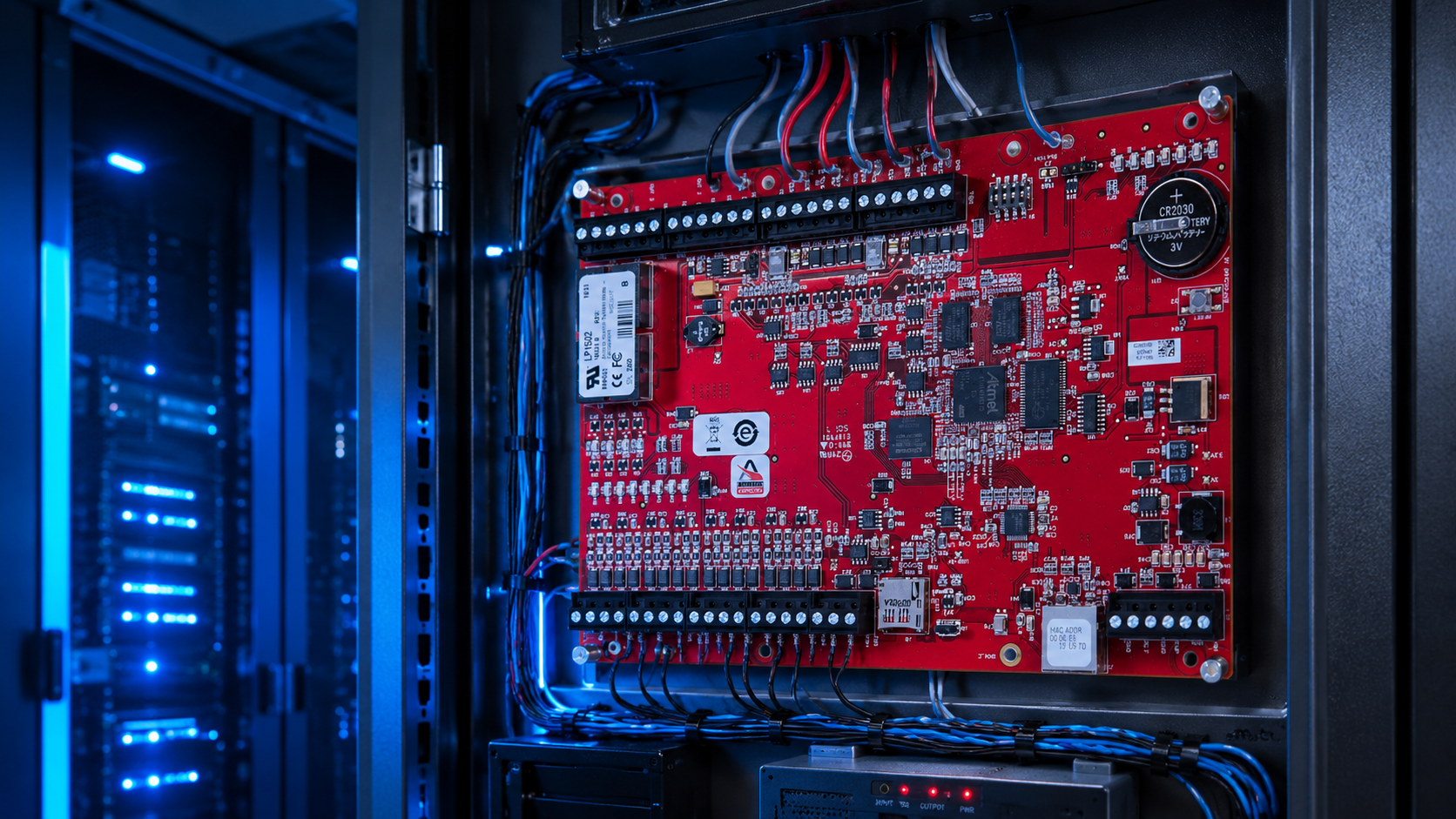

A technical look at host configuration swaps, OEM reflashing, panel architecture, and why “rip and replace” is almost never the reality.
There’s a moment most IT directors, physical security managers, and facilities professionals know intimately.
A server crashes. A support ticket sits unanswered for three days. The technician who commissioned your access control system a decade ago is gone. And, to make matters worse, the manufacturer won’t touch it because your maintenance agreement has lapsed.
That’s when migration evolves from a hypothetical to a real-world solution.
The problem is, “migration” carries decades of baggage. People assume it means a full rip-and-replace: new panels, new readers, new wiring runs, new everything. But the reality is, it almost never does.
We sat down with Brandon Ford, Solutions Engineer at Genea, and Mike Perez, Genea’s Technical Support Manager. Between them, they’ve overseen hundreds of migrations off legacy on-premises systems.
What Makes an Access Control System “Legacy”
When people talk about legacy access control systems, they tend to mean “old.” Perez sees it differently.
“Legacy doesn’t necessarily mean an outdated system. It means an outdated way of doing things — a proprietary, on-premises server setup where one registered workstation is your only access point to the entire system.”
The constraints are real. Your software lives on your private network. To reach it, you need to be on that network physically, or through a VPN. It works, until it doesn’t. Until you’re traveling. Until you need to revoke credentials at 11pm on a Saturday.
That’s the gap Genea, cloud-native by design, closes. Any browser, anywhere, no VPN required.
“We had a [Genea] customer who was flying home and realized he had internet access on the plane,” Perez says. “He had full access to his access control system from 30,000 feet. That’s something you simply cannot do on a traditional system without exposing your network.”
Your legacy on-prem system can’t do that.
Understanding Access Control System Hardware and Panel Architecture
To understand how a migration works, you need to know what’s actually sitting on your walls today–and the good news is, in almost every case, it stays exactly where it is.
At the top of the hierarchy are master controllers. Consider these the brains of the system. They store all configuration data: credentials, access groups, schedules, door assignments. During a migration, this is the piece that gets redirected and then gets pointed at Genea’s cloud instead of your old on-prem server.
Below the master controllers are downstream door controllers that act on what the master controller tells them. The most common handle two doors each (configurable for four readers in entry/exit mode), daisy-chained off the master controller. Whatever configuration your site already has, however many panels, however they’re chained, carries over as-is. Genea reads the existing hierarchy; it doesn’t ask you to rebuild it.
What’s more, for reader-to-panel communication, many of these panels support a modern open protocol with significantly higher encryption than the legacy Wiegand standard older systems rely on. Where that’s already in place, it carries over too, and it’s what enables bidirectional communication and remote firmware updates on compatible readers down the line, something Wiegand-only setups can’t support.
How an Access Control System Migration Actually Works
For most Mercury-based hardware (covering systems from RS2, Open Options, and many others) migration doesn’t involve flashing anything. It’s a host configuration change.
“You log into the intelligent controller, direct it to our cloud instance, confirm the outbound port, and change the retry time to 20 seconds,” Ford says. “That’s it.”
No soldering. No rewiring. No specialized tooling. In most cases, no physical hands on the panel at all.
For Lenel systems, there’s one additional step. Lenel installs its own proprietary image onto Mercury controllers, locking out the standard configuration interface. Genea sends a tester application that reflashes the board, restores the standard Mercury firmware, and from there the process is the same. The reflash takes about 30 minutes on-site.
The most common Day 1 issue (and the least obvious pre-migration item) is the firewall. Controllers that have only ever talked to a local server now need to reach Genea’s cloud. One outbound port needs to be whitelisted before cutover day, not on it.
“If IT hasn’t done that before we start, panels won’t come online,” Perez says. The good thing is, Genea provides the documentation and the conversation happens during pre-migration planning so teams can be prepared with solutions before and during cutover.
Access Control System Migration Phases
Migrations don’t have to happen all at once. Panels can be cut over one floor, one building, or one panel at a time, while the rest of the site keeps running on the existing system.
“With other platforms, you might need four servers running simultaneously during a phased transition,” Ford says. “That’s just not cost-effective. We can run in parallel with the existing system, which gives large enterprise environments a path that matches their actual timeline and budget.”
The constraint: each master controller can only point to one host at a time. Once a panel is cut over, it’s fully on Genea. But the rest of the site can follow on whatever schedule makes sense. Every migration gets a dedicated project manager to keep the phasing on track.
What to Expect When Your New Access Control System Goes Live
The most common live-day issues are panels that don’t come online (usually the firewall) and access denied errors (usually a card format mismatch). Genea’s implementation team stays on a live call with the on-site integrator throughout.
“I dreaded calling Lenel’s tech support,” Perez says. “You’d be on hold for two or three hours. And if your certification wasn’t current, they’d tell you and hang up. That is the norm in this industry.”
“We’re on the call with them. We’re decoding the error in real time. That grows confidence — in the technician, in the integrator, in the customer. No additional fees, no specialty certification required.”

Which Access Control Hardware Can Be Migrated?
Genea is built on the Mercury platform, the most open, non-proprietary hardware standard in the access control industry. Any modern Mercury-based controller can be taken over: the hardware stays, the host changes. Beyond Mercury, Genea supports Honeywell, Vanderbilt, ASSA ABLOY, Schlage Allegion, and others.
“Anything Mercury is an existing takeover,” Perez says. “Every panel, every wire, every reader… We’re using what’s already there.”
The only hardware that can’t migrate is the oldest legacy boards, which predate modern encryption support. This isn’t a Genea limitation. Nobody supports those boards anymore.
“It’s like trying to update the original iPhone to the latest iOS,” Ford says. “There’s a hardware cutoff. That’s not us.”
Some older readers will function on Genea but won’t support mobile credentials via Bluetooth or NFC. For organizations moving toward smartphone-based credentials in Apple Wallet or Google Wallet, reader upgrades will be needed. Everything else, in almost every case, can stay.
Why Organizations Are Moving Access Control to the Cloud
For organizations skeptical about moving access control to the cloud, Ford offers the simplest reframe.
“Think about what you do every day. Banking. Communications. Healthcare records. All of it runs in the cloud, held to the highest security standards in existence. The on-premises server in your IT closet is not. Anybody can break into a facility and eventually reach your hardware.”
There’s also the hidden cost equation. On-premises deployments carry ongoing costs that rarely surface in budget conversations: server electricity, third-party maintenance contracts, software maintenance fees, and the staff time consumed by badge issuance, access group management, and administration.
“We try to show customers the total cost of their on-premises system,” Ford says. “The electricity, the maintenance, the time. We’re going to give you time back. That’s real value that doesn’t show up in a line item.”
Access Control Migration Without a Rip-and-Replace
Per-panel downtime during cutover? That takes about 10 to 15 minutes. The real work happens beforehand: cleaning data, validating it, mapping credentials, aligning access groups. Genea’s implementation team handles that in advance, with two customer sign-offs before a single panel is touched.
“We’re not saying everything has to be done today or this week,” Ford says. “We can work with customers to get to a more modern system in a realistic time frame.”
What surprises most organizations isn’t the complexity. It’s the lack of it.
“These cutovers are supposed to be turnkey,” Perez says. “That’s what we’re telling customers, and that’s what we deliver.”
Want to see the full migration process — from pre-migration data prep to Day 1 cutover? Watch Migration Without the Mayhem, featuring Brandon Ford, SVP of Product Mike Maxsenti, and Sr. PM Jessica Chadwick.